Mobile: V 5.20.1 Release Notes
This update of the app contains significant user interface and experience enhancements to multiple areas, creating a more intuitive and visually appealing experience:
-
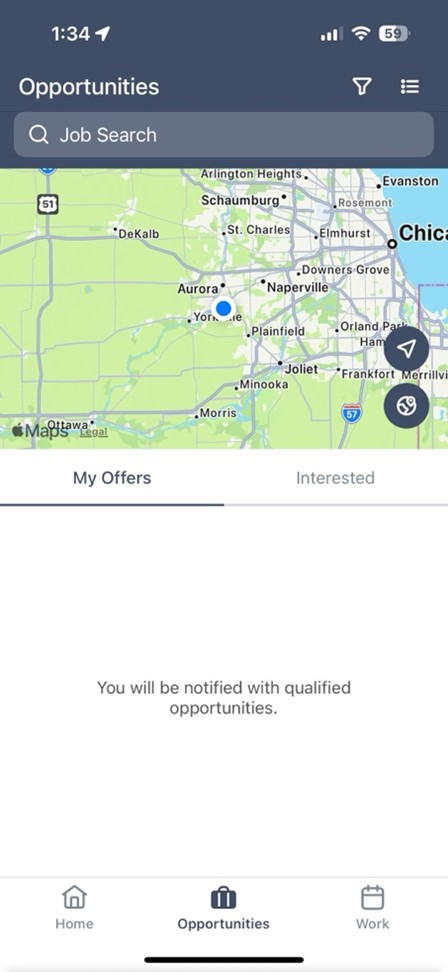
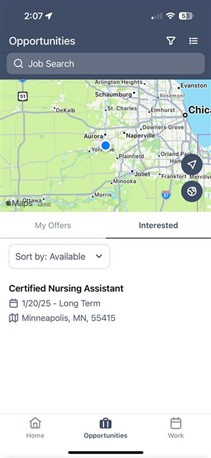
Opportunities Tab: Enhanced interface for both Offer View and Interest View with improved filtering options
-
Work Tab: Redesigned interface with new job status badge design for better visual hierarchy
-
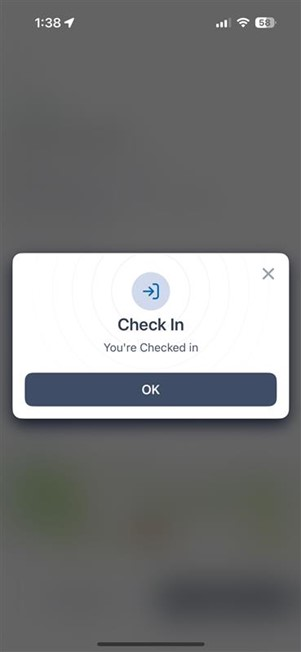
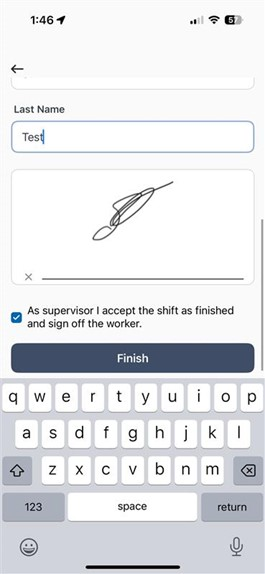
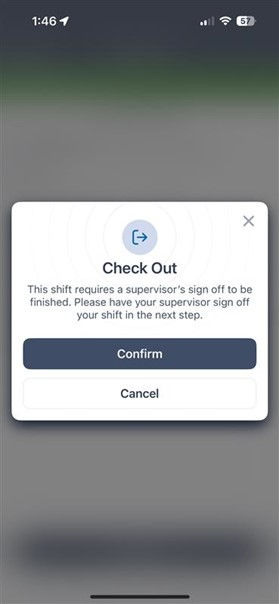
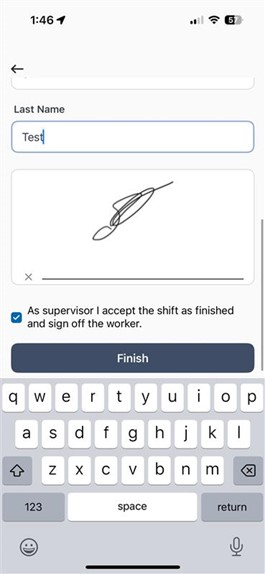
Committed Job Details: Comprehensive UI improvements to the Check-In and Check-Out experience, including supervisor signature capture
-
Job Search & Apply: Improved filtering logic specifically for Bullhorn customers
-
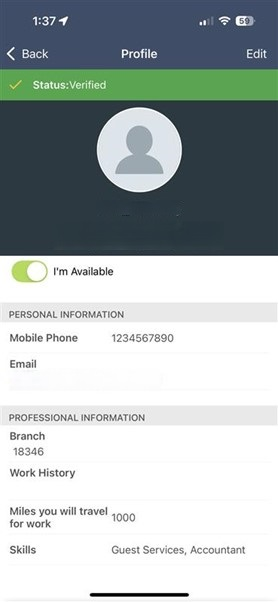
Profile Updates: Available Toggle relocated to the Profile section for more intuitive access
Why did we do this?
-
Enhanced Visual Experience: The redesigned interfaces provide clearer information hierarchy and improved readability across the app
-
Streamlined Workflows: By enhancing the Work and Opportunities tabs, we've made it easier for talent to manage their jobs and potential opportunities
-
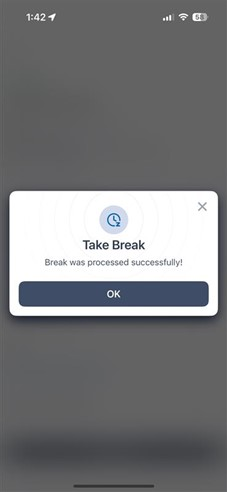
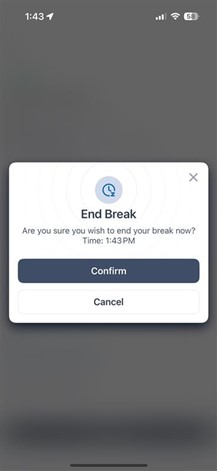
Improved Time Tracking: The enhanced Check-In/Check-Out experience with break management gives talent better visibility into their worked hours
-
More Intuitive Navigation: Moving the Available Toggle to the Profile section creates a more logical grouping of user settings and preferences
How does this impact you?
-
Users will experience a more modern, intuitive interface when navigating through job opportunities and managing current assignments
-
The improved time tracking experience provides greater transparency and accuracy when recording worked hours
-
Enhanced filtering options in the Opportunities tab make it easier to sort between available opportunities and those already submitted
Links to related KB articles:
- 24/7 WORK: Talent Experience
Availability/Impact:
This feature is available to all 24/7 customers. User Interface updates are dependent on the end user having the most recent version of the application on their device.
Screenshots:
Opportunities Tab:
The Opportunities Tab, Offer View:
Opportunities Tab - Interest View, and showcase of new filter to sort by "Available" or "Submitted"
Work Experience:
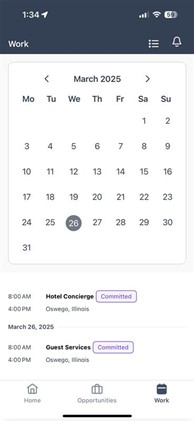
Work Tab View:
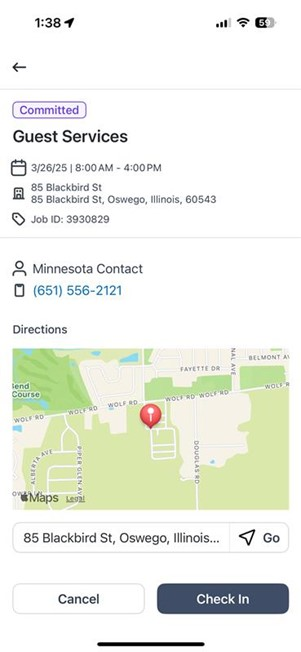
Committed Job Details:
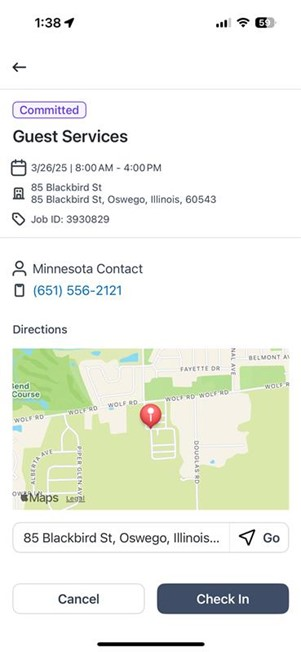
Check-In Screen and Confirmation Prompts:
Time Worked Counter (including breaks):
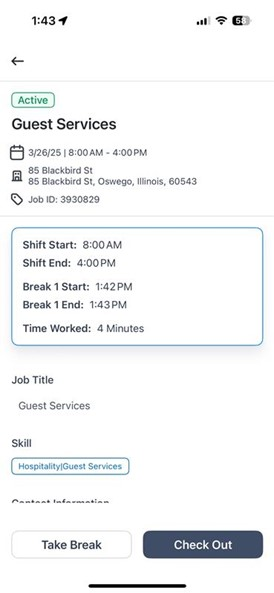
Take/End Break Prompts:
Check Out Confirmation Prompts:
Including Supervisor Signature:
Profile Updates:
Available Toggle moved to Profile: