
Admin Tab | Locations
A Location is the physical site associated with a single street address, typically a building or campus, where Talent will complete work.
A Meeting Place is a subcategory of location referring to the specific spot where Talent should meet upon arriving on-site.
Example
After arriving at the designated work site (Location), Talent may need to go to a specific location (Meeting Place) upon arrival, such as the front desk.
How to Access
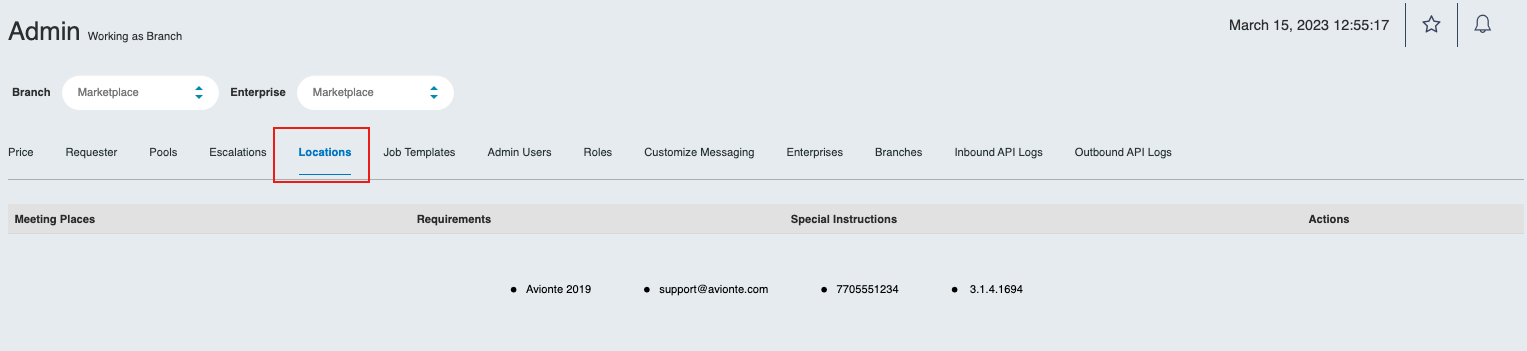
Navigate to the Admin tab in WorkN and click Locations.
When is a Meeting Place Used?
While Meeting Places are often an optional selection for requesters, they can be applied to any session request. A Meeting Place may be something like "Front Desk" or "Loading Dock behind Building B" in a large complex where finding the supervisor or other team members may be difficult without direction.
How to Create a Meeting Place
Meeting Places can be entered in the Locations tab within the Admin tab in the WorkN portal. Meeting Places can only be set at the Enterprise level, so a Location must be selected from the dropdown.
How to Create a Location
Locations can be entered in the Locations tab within the Admin tab in the WorkN portal. Simply select the Add Location button to begin.
The size of the location can be defined with Radius (in meters). As a best practice, a minimum radius of 100m is recommended to account for minor inaccuracies in GPS. A larger complex should have a larger radius.
Updated about 1 year ago